
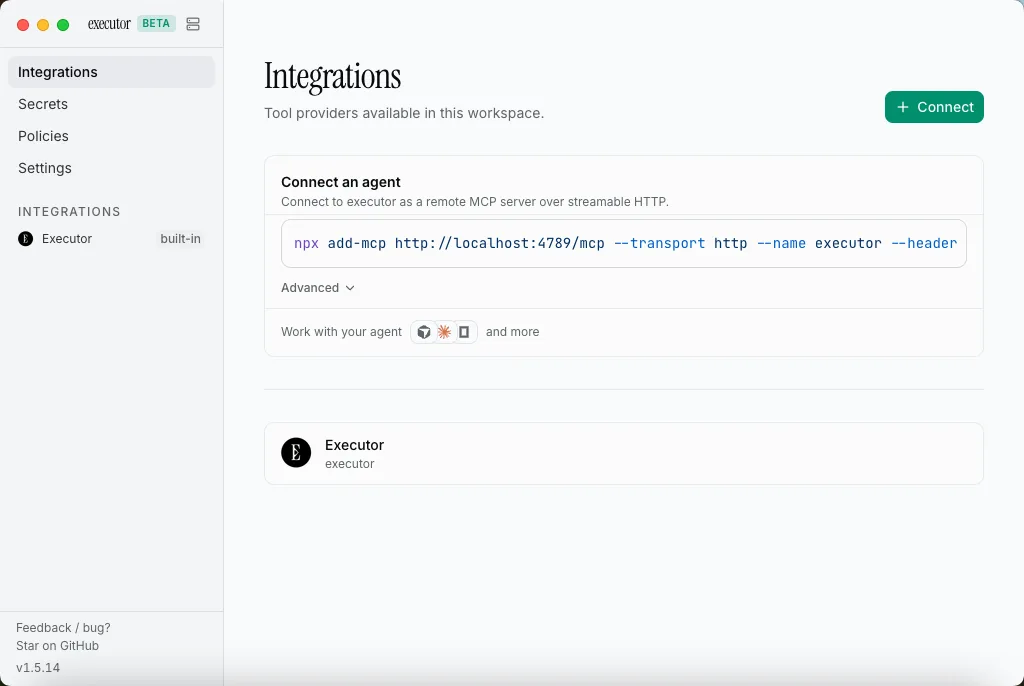
Executor.sh is an open-source MCP gateway for wiring AI agents to external tools without a closed runtime or per-call lock-in. Configure integrations once—MCP servers, OpenAPI specs, GraphQL endpoints, or custom JS tools—and every MCP-compatible client (Claude Code, Cursor, Codex, and more) shares them through a single endpoint. Self-host with Docker, run the desktop app, or use the hosted cloud.
Key Features
- One MCP Endpoint: Point Claude Code, Cursor, Codex, or any MCP client at Executor and reach every connected tool.
- Protocol-Level Integrations: Import MCP servers, OpenAPI specs, GraphQL schemas, and custom tools; endpoints become typed tools automatically.
- Context Efficiency: Agents see one gateway tool and load schemas only when needed, instead of dumping thousands of definitions into the prompt.
- Semantic Discovery: Agents search tools by intent (for example, “send a Slack message”) rather than memorizing names.
- SES Sandbox: Tool calls run in an isolated QuickJS sandbox; credentials are injected host-side and never enter the sandbox heap.
- Policy Engine: Allow, require approval, or block tools based on semantics (GET vs DELETE, MCP
destructiveHint, GraphQL mutations). - Flexible Deploy: Cloud, desktop (Mac/Windows/Linux), CLI (
npm i -g executor), Docker self-host, or Cloudflare Workers.
Why Choose Executor.sh?
- You want a self-hostable alternative to managed agent tool platforms like Composio.
- You care about inspectable, MIT-licensed runtime code and zero per-call fees when self-hosted.
- You already bring OpenAPI/GraphQL/MCP specs rather than only pre-built SaaS catalogs.
- You need credential isolation and approval gates for destructive actions.
Docker Deployment
Quick start with Docker:
docker run -d \
  --name executor-selfhost \
  -p 4788:4788 \
  -v executor-data:/data \
  ghcr.io/rhyssullivan/executor-selfhost:latest
Or with Docker Compose:
services:
  executor:
    image: ghcr.io/rhyssullivan/executor-selfhost:latest
    container_name: executor-selfhost
    restart: unless-stopped
    ports:
      - "4788:4788"
    volumes:
      - executor-data:/data
    environment:
      - PORT=4788
      - EXECUTOR_DATA_DIR=/data

volumes:
  executor-data:
Open http://localhost:4788. The first account becomes the owner. Connect agents with:
npx add-mcp https://executor.yourdomain.com/mcpGetting Started
- Deploy with Docker or try the hosted cloud.
- Add integrations (MCP servers, OpenAPI, GraphQL).
- Point your MCP client at the Executor endpoint.
- Set policies for sensitive or destructive tools.
- Run multi-agent workflows with one shared gateway.
Full Setup Guide
For a full comparison with Composio and a step-by-step Docker walkthrough (including Dokploy), read: Executor.sh: Self-Hosted Open-Source Composio Alternative.