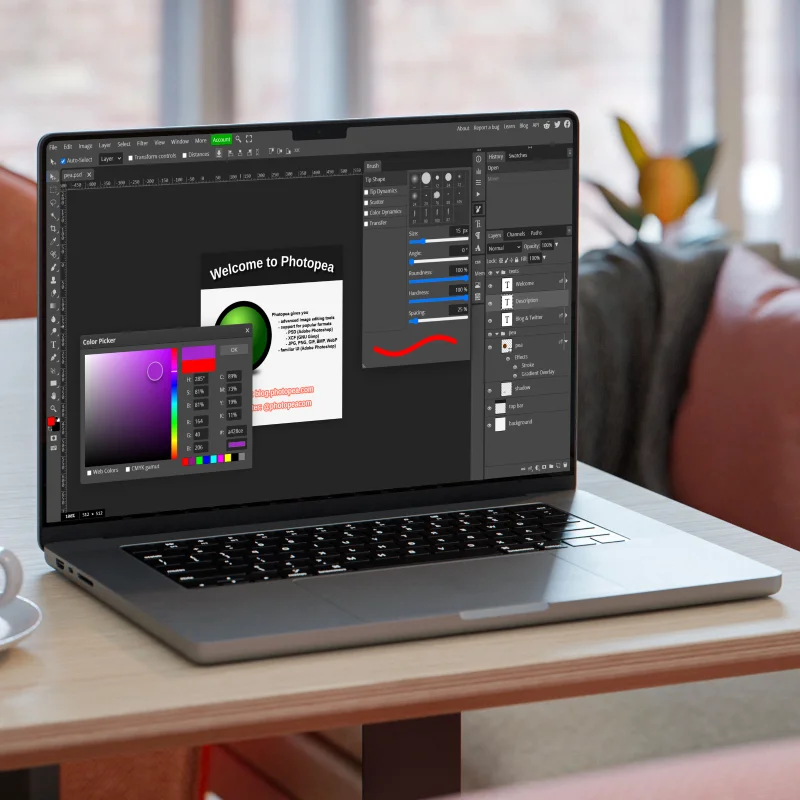
Photopea is a sophisticated online image editor that brings professional-grade editing capabilities to your browser for free. With an interface familiar to Photoshop users and support for numerous file formats, it’s the go-to solution for designers, photographers, and creatives who need powerful editing tools without expensive software or installations.
Key Features
- Professional Editing Tools: Access layers, masks, adjustments, filters, and other advanced editing capabilities.
- Multi-Format Support: Open and edit PSD, XCF, Sketch, XD, and other professional design file formats.
- Layer Management: Work with complex layer structures including layer styles, masks, and adjustment layers.
- Text and Vector Tools: Create and edit text with typography controls and use vector tools for precise design work.
- Selection Tools: Make complex selections with magic wand, lasso, and other selection tools.
- Export Options: Save your work in various formats including PSD, JPG, PNG, SVG, and PDF.
Why Choose Photopea?
- No Installation Required: Works entirely in your browser—no downloads, installations, or updates needed.
- Free Access: Use professional editing tools without subscription fees or purchases.
- Familiar Interface: Easy transition for Adobe Photoshop users with a similar layout and tools.
- Cross-Platform Compatibility: Works on any device with a modern browser, including Windows, Mac, Linux, and Chrome OS.
- Regular Updates: Continuously improved with new features and capabilities.
- Privacy-Focused: Process images locally in your browser, not on remote servers.
Use Cases
- Photo Retouching: Enhance portraits, remove blemishes, and adjust colors.
- Graphic Design: Create logos, banners, social media graphics, and marketing materials.
- UI/UX Design: Edit and refine interface designs with precise control.
- Digital Art: Create illustrations and artwork with brushes and drawing tools.
- Quick Edits: Make fast adjustments to images without launching heavy software.
- PSD Viewing & Editing: Open and modify Adobe Photoshop files without owning Photoshop.
Getting Started
- Access the Editor: Simply visit Photopea.com in any modern browser.
- Open or Create: Start a new project or open existing files from your computer.
- Edit with Familiar Tools: Use the toolbar and panels similar to desktop editing applications.
- Save Your Work: Export directly to your device or save to cloud storage services.
Pro Tips
- Keyboard Shortcuts: Photopea supports most Photoshop keyboard shortcuts for efficient editing.
- Smart Objects: Work with Smart Objects for non-destructive editing, just like in Photoshop.
- Templates: Access built-in templates for common design formats like social media posts.
- Custom Brushes: Import and use custom brushes for specialized artwork.
- Performance Optimization: Close unused panels and tabs to improve editor performance.
Photopea represents a remarkable achievement in bringing professional image editing capabilities to the web, making advanced design tools accessible to everyone, regardless of budget or technical setup. Whether you’re a professional designer needing a quick editing solution on the go or a hobbyist exploring creative possibilities, Photopea offers a powerful, accessible platform for bringing your visual ideas to life.