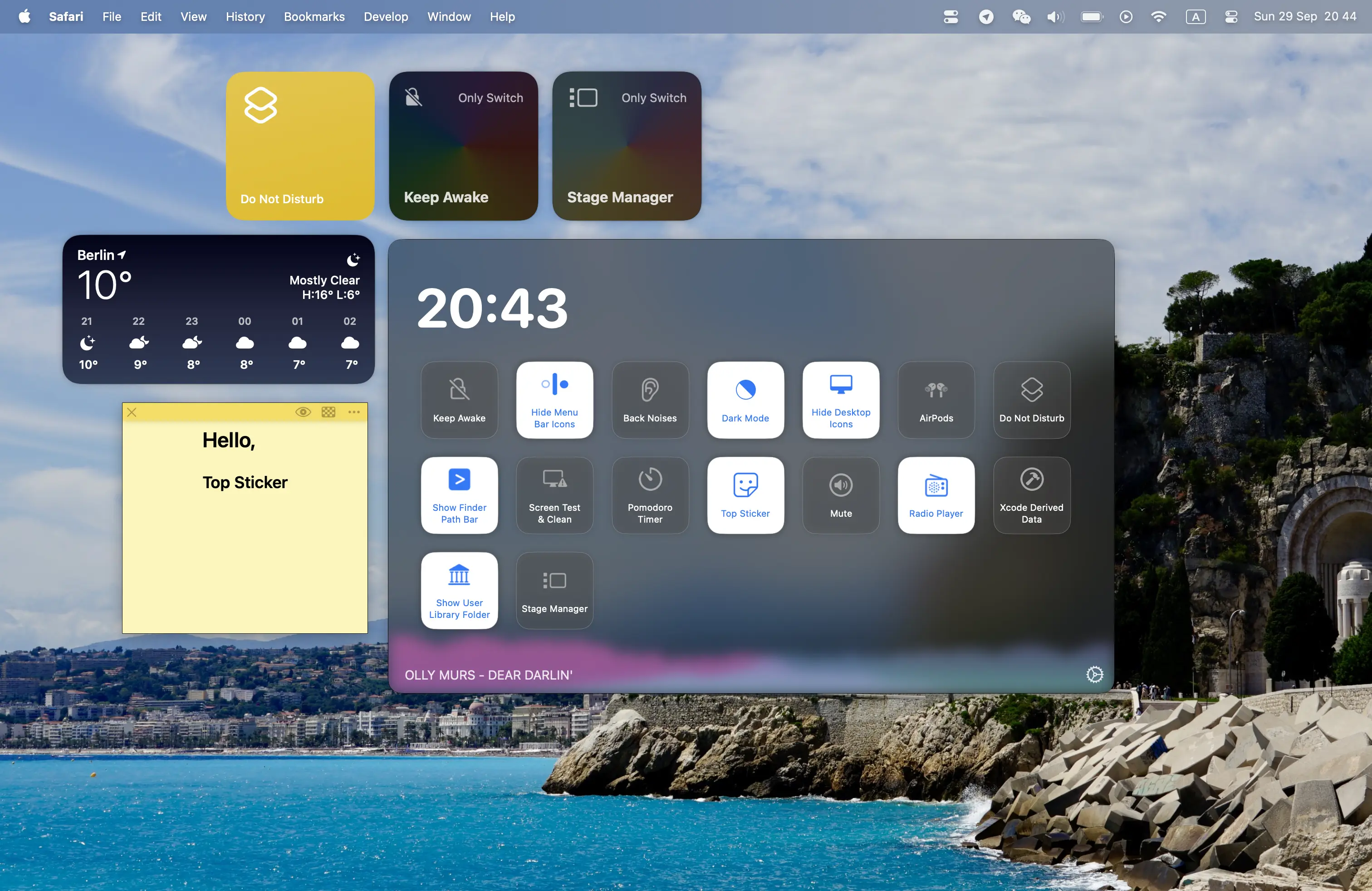
Tired of digging through System Settings or juggling apps to tweak your Mac? OnlySwitch is your new go-to—a free, open-source menu bar app that packs a boatload of handy toggles into one tidy spot. Flip dark mode, hide your MacBook’s notch, connect AirPods, or kick on a screen saver with a single click. It’s not just about basics—stream radio, control Spotify, or even set up custom switches with scripts for your own workflow hacks. Whether you’re a productivity nut hiding desktop icons, a music buff queuing tunes, or a tinkerer crafting shortcuts, OnlySwitch brings it all together with a clean, macOS-native vibe. With widget support for Sonoma and beyond, plus a community keeping it fresh, it’s like a Swiss Army knife for your Mac—free and endlessly tweakable.
Why You’ll Love It
- Toggle Heaven: Switch dark mode, notch, Bluetooth, and more in a snap.
- Your Way: Add, remove, or sort switches to fit your style.
- Key Speed: Flip settings with keyboard shortcuts.
- Widget Ready: Quick controls right on your desktop (Sonoma+).
- Tunes On: Play radio or control music from the menu bar.
What It Offers
- System Smarts: Hide icons, tweak True Tone, or manage power modes.
- Media Mix: Stream radio, handle Spotify/Apple Music, or test audio.
- Custom Power: Build switches with Evolution scripts or shortcuts.
- Extras Galore: Pomodoro timer, screen clean, and multi-language support.
- Mac Magic: Light, open-source, and updated often.
Perfect For
- Busy Bees: Streamline daily Mac tweaks.
- Music Fans: Keep tunes a click away.
- Customizers: Script your own perfect setup.
- Minimalists: Declutter with one app for all.
Get Started
- Download: Grab it free from OnlySwitch.
- Install: Drag it to Applications and launch.
- Toggle: Pick your switches and start flipping.
- Tweak: Add widgets or scripts for extra flair.
System Requirements
- macOS 13 (Ventura) or higher (Widgets on Sonoma+)
- 4GB RAM minimum
- Works on Intel and Apple Silicon Macs